


Zipper Lock Screen: Zip Style
4.812.00 Reviews
App Specs
- Version
- 1.2609.25
- Updated On
- License
- Free
- Downloads
- 1,000,000+
- Developer
- MGlobal
- Categories
- Personalization
- Platform
- Android
Screenshots
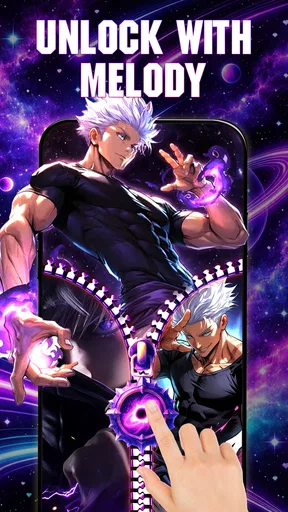
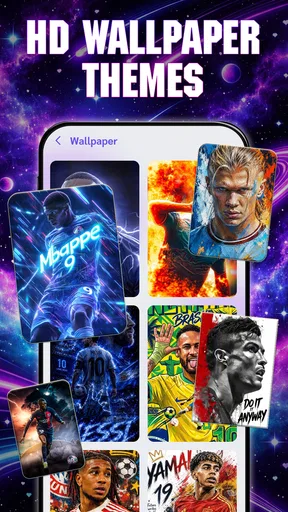
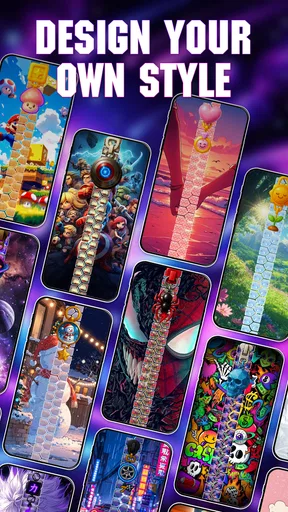
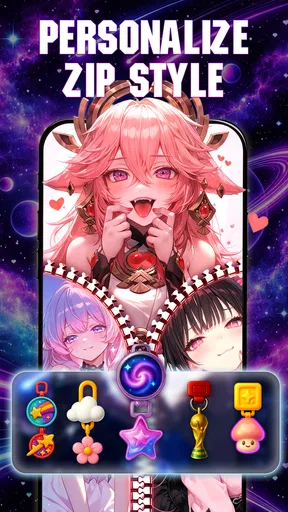
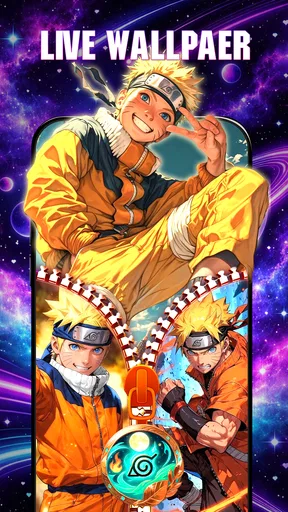
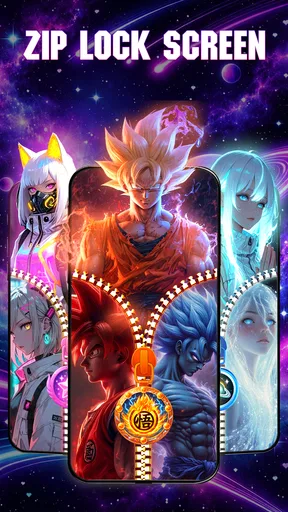
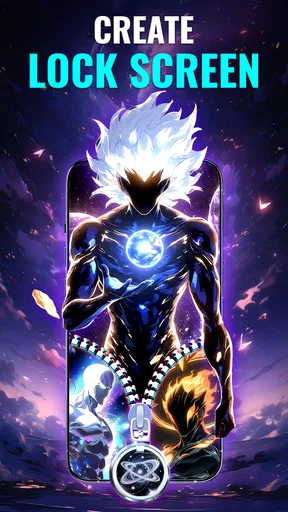
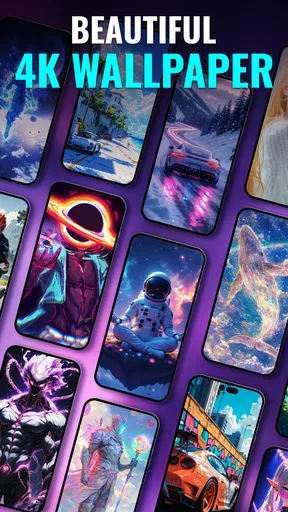
 Analysis by AppCompare
I see Zipper Lock Screen: Zip Style as a playful personalization app rather than a full replacement for Android’s lock-screen settings. Its appeal is easy to understand: instead of leaving the screen that greets you every day untouched, you can give it a zipper-themed look and pair that visual treatment with a live wallpaper. That’s a small change, but one you notice repeatedly, which makes it more satisfying than a theme you set once and rarely see.
My recommendation comes with a clear qualification: this is for people who enjoy a decorative, distinctive lock screen, not for anyone looking for a deep customization suite or a practical security upgrade. The zipper concept is the point, and it works best when you want your phone to feel a little less ordinary. If that sounds fun, the app is worth a look; if you prefer a clean screen and minimal visual effects, its central idea may wear thin.
What to expect from a zipper-first design
The key question before installing is not whether a zipper effect is technically unusual; it is whether you want that motif to be part of a screen you see throughout the day. A lock screen is repeated visual real estate, so a theme that feels amusing once can become distracting if it competes with the clock or the quick glance you need before putting your phone away. I would treat the app as a focused style choice rather than a toolbox that needs to suit every mood.
That focus is also what makes it easier to evaluate than a broad theme catalog. You can decide quickly whether the central look appeals to you, then judge the result against your own habits. If you mostly unlock immediately and rarely pause on the lock screen, its decorative payoff may be small. If you enjoy seeing a personalized screen each time you pick up your phone, even a narrow visual idea can have lasting appeal.
A personal touch built around one visual idea
The strongest thing about the app is that it gives its personalization a recognizable theme. Many wallpaper tools are essentially galleries: choose an image, apply it, and move on. Here, the zipper treatment gives the lock screen a more interactive-looking identity, while live wallpapers add movement to the overall presentation. I’d choose it for personality and visual novelty, not because it changes how I use the phone.
That distinction matters. A lock screen is a very frequent point of contact, so even a decorative change can make a device feel refreshed. But a visual effect also has to coexist with the information and controls you rely on. Before settling on a style, I’d check whether the zipper design leaves the clock and notifications easy to read on my particular device. A striking background is less appealing if it competes with the details I need at a glance.
The best way to judge a zipper theme is as a complete lock-screen composition, not as an isolated graphic. I’d look at the contrast behind the clock, the amount of movement in the wallpaper, and whether the central zipper detail draws attention away from alerts. This practical check is especially useful if you often glance at your phone in bright light or while you’re moving; a design that looks stylish in a quiet room may be less legible in everyday use.
Worth Reading Before You Choose

Switching to Android Auto Means Rethinking Your Driving Routine

Google Calendar Makes a Crowded Week Easier to Manage

Baby Panda World Brings Quick Play to Modern Phones, but Its Game Library Feels Busy

ESPN’s Live Game View Makes Following Close Games Easier

QuizzLand Review: A Good Fit for Short Trivia Breaks, Not Every Player

Basketball Stars: Multiplayer Is Fast, but Can It Recover When Matches Go Wrong?
There’s also a useful trade-off between novelty and restraint. A more dramatic zipper look can make the phone feel customized immediately, while a calmer wallpaper may be easier to live with over time. I would start with the least busy combination that still feels distinctive, then make it more decorative if I find myself wanting extra visual impact. That approach makes it easier to tell whether I like the theme itself or simply the initial surprise of changing my screen.
What it does well in everyday use
The app’s concept suits quick, visible personalization. You don’t have to reorganize your home screen or change how you open apps to enjoy the result; the lock screen is the canvas. That makes it a sensible option for someone who wants a noticeable change without turning phone customization into a project. It can also be a lighthearted choice for a personal device where style matters more than a strictly uniform appearance.
Picture checking your phone between errands: you wake the screen to see a message, glance at the time, and put it away. A zipper-themed design gives that routine a bit more character, while a live wallpaper can make the screen feel less static. The benefit is modest but tangible if you enjoy those small touches. It is not a productivity tool, and I wouldn’t expect it to make notifications easier to manage; its value is that it makes an ordinary moment look more personal.
For a household device or a phone you occasionally hand to someone else, an obvious visual theme can also make the screen feel deliberately customized rather than left at its default appearance. That is an aesthetic advantage, not a security feature. I would keep relying on the device’s normal security settings for protection and treat the zipper styling as decoration layered onto the experience.
One practical workflow I’d recommend is to try a theme during a low-stakes part of the day, then check it in the situations where you usually use your phone: indoors, outside, and with a few notifications waiting. This catches a common personalization mistake—choosing a wallpaper based only on its appearance when the screen is empty. If the zipper detail obscures useful content, try a quieter visual option rather than assuming that a more elaborate look is automatically better.
Where the idea has limits
The same focus that makes the app easy to understand also narrows its appeal. Zipper styling is a specific taste, not a neutral tool for building any lock screen imaginable. If you are after a broad collection of unrelated visual styles, fine control over every screen element, or a polished minimalist look, a general wallpaper or theme option may fit better. The app makes most sense when the zipper motif is something you actively want to see.
Live wallpaper is another choice to make thoughtfully. Movement can add atmosphere, but it is not always an improvement: some people prefer a still image because it feels calmer, looks clearer, or keeps the lock screen visually simple. I’d compare the animated look with a static one in actual use instead of assuming that motion is automatically more attractive. The quieter choice can be better when you check your screen often and want information to stand out first.
There is also a compatibility consideration. The app is listed for Android starting with version 7.0, but an eligible operating-system version does not guarantee that every device will present a customized lock screen in exactly the same way. Android manufacturers and system settings can affect how the lock screen is displayed. I’d install it expecting a visual personalization option, then confirm that the result behaves as I want on my own phone before spending time refining a look.
That point is particularly relevant if your lock screen is already heavily shaped by a device maker’s interface. The more your phone relies on its own lock-screen layout, the more important it is to check the result instead of assuming a theme will take over every part of the experience. If maintaining the manufacturer’s familiar layout is more important than adding a zipper effect, the built-in customization choices may be the less frustrating route.
Who is likely to enjoy it
I’d recommend it to Android users who like expressive phone styling and want their lock screen to feel different without changing their everyday habits. It is also a reasonable choice for someone who enjoys trying visual themes and does not mind adjusting their selection after seeing it in normal conditions. The app is free, which lowers the commitment for a casual trial, though I’d still judge it by whether I keep enjoying the screen after the novelty settles.
It is less suited to people who prioritize a plain, information-first lock screen, dislike animated backgrounds, or expect one app to provide comprehensive device-wide theming. I would also skip it if the zipper motif itself does not appeal to you; that is not a minor detail around the edges, but the central visual premise. A general wallpaper tool or the phone’s own settings are better choices when you want more conventional flexibility or fewer visual changes.
For a parent considering it for a child’s device, the content rating is Everyone, which makes the app broadly age-appropriate. I would still treat customization and device security as separate matters: a decorative lock screen does not replace a passcode or other protection. That’s a useful distinction for any personalization app, and especially for one whose name and visual theme might otherwise suggest that it changes how the phone is secured.
MGlobal is the developer. The app has an average rating of 4.8 from around 4.5 thousand ratings, and it has passed one million installs. Those figures suggest that the concept has found an audience, though they are not a substitute for checking whether its particular style suits your phone. It is free and rated for Everyone, making an experiment relatively approachable for users who meet the Android version requirement.
Trying it without overcommitting
The current version is 1.2609.25, and the app was released on December 25, 2025. I’d treat those details as useful context when checking compatibility, but my decision would come down to the on-screen result: does the zipper look fit the device, can I still read what matters, and do I enjoy seeing it after the first few unlocks? Those questions are more useful than choosing a theme solely because it looks dramatic in a preview.
Before committing to a particular appearance, I’d also decide what I want the lock screen to do for me. If it is mainly a quick place to check the time and notifications, clarity should win over elaborate effects. If it is more of a personal display and I enjoy a bit of visual flair, the zipper design may be exactly the kind of detail that makes the phone feel less generic. Thinking about that priority first prevents an attractive theme from becoming an everyday annoyance.
A good trial is to assess the screen at two different moments: first when it is freshly applied and you are paying attention to the artwork, then later when you are using the phone on autopilot. The second test is more revealing. If the theme remains pleasant while you are simply checking the time, it is doing its job; if your eye keeps getting pulled toward the effect when you only want to read a notification, a less busy option is likely a better fit.
I would also keep the first setup simple instead of changing several visual elements at once. That gives you a clearer sense of whether the zipper treatment, the wallpaper movement, or their combination is what you enjoy. It is a small but useful way to avoid confusing the excitement of a full makeover with a preference you will actually keep. If one part works and another does not, you can make a more deliberate choice rather than abandoning the whole idea.
I would not recommend it as a fix for a dull home screen, a way to improve phone security, or a replacement for broader device customization. Its appeal is narrower and more honest than that: it offers a distinctive lock-screen look built around zipper styling and live wallpaper. Knowing that scope makes it easier to decide whether it belongs on your phone.
A clear choice for the right taste
My verdict is positive but specific. Zipper Lock Screen: Zip Style is a good fit when you want a playful lock-screen makeover and genuinely like the zipper aesthetic. Its recognizable theme and live-wallpaper approach give it more character than simply changing to another ordinary background, and the free price makes trying that idea an easy decision for many Android users.
I would not call it a universal recommendation. People who want a restrained interface, broad theme variety, or guaranteed uniform behavior across different Android devices should look elsewhere or stay with built-in options. For everyone else, I’d give it a careful try: choose a design for readability as well as appearance, test it during your usual phone routine, and keep it only if the novelty turns into something you still enjoy. That is where this app succeeds—not by transforming the phone, but by making one familiar screen feel more like your own.
Pros
- Zip-themed design gives the lock screen a distinctive
- playful look.
- The zipper interaction offers an alternative to a standard unlock gesture.
- Useful for adding a bit of personal style to an Android device.
- The visual concept is easy to understand at a glance.
- A lightweight novelty option for users who enjoy customizing their lock screen.
Cons
- A zipper animation may take longer than a simple swipe to unlock.
- Lock-screen customization can vary across Android versions and devices.
- Some built-in lock-screen features may not work alongside a replacement screen.
- The novelty effect may wear off after regular use.
- Review permissions and settings carefully before making it your default lock screen.
FAQs for Zipper Lock Screen: Zip Style
What does Zipper Lock Screen: Zip Style do?
Zipper Lock Screen: Zip Style is a customization app that gives your phone’s lock screen a zipper-themed appearance. Depending on the options available in your version, you can choose a background, zipper design, or related visual effects, then use the zipper interaction to reveal the home screen. It is primarily intended for decoration rather than adding security, so check your device’s standard lock settings separately.
Does the zipper animation provide real security for my phone?
No. A zipper animation is a visual lock-screen effect and should not be treated as a PIN, password, or biometric security measure. The app’s exact behavior can vary by Android version and device, and some customization apps may not replace the system lock screen at all. Keep your phone’s built-in screen lock enabled, and avoid storing sensitive information on a screen that is only protected by an animation.
How do I set up and customize the lock screen?
After installing the app, open it and review the available settings before applying a design. Look for options such as backgrounds, zipper styles, sound, or animation controls, as the selection can differ between versions. You may need to grant permissions or enable the app’s lock-screen feature for it to work as intended. If the result is not displayed correctly, check the app’s instructions and your device’s display and lock-screen settings.
Is Zipper Lock Screen: Zip Style free, and does it contain ads or in-app purchases?
Pricing and monetization can vary by app version, region, and the store listing available on your device. Check the Google Play or Apple App Store page before downloading for the current price, advertising disclosures, and any in-app purchase details. If the app is free, it may still show ads or offer optional paid features. Review those details and the requested permissions so you know what to expect.
Will it work on every phone, and what should I check before downloading?
Compatibility depends on the app’s current platform support, your operating system version, and the way your device manages lock-screen customization. Confirm that the store listing identifies your device as compatible, and read recent user reviews for reports about crashes, battery use, or display problems. Also check the developer, update history, privacy information, and permissions. These steps can help you judge whether the app suits your phone before installing it.


